Maintaining heavy equipment requires advanced diagnostic technology. The CNH DPA5 Diagnostic Tool Adapter—paired with the Electronic Service Tool (EST) software—serves as the primary diagnostic solution for workshop technicians working on CNH Industrial machinery.
From checking parameter statuses and reading fault codes to performing deep ECU programming via Controller Area Network (CAN) bus systems, the CNH DPA5 interface ensures high-level service support across agricultural and construction fleets.
The CNH EST software connects directly to a machine's electronic architecture to deliver full dealership and engineering-grade capabilities:
Live Monitoring & Diagnostics: Retrieve diagnostic trouble codes (DTCs), check parameter statuses, monitor active or logged faults, and run interactive scope diagnostics.
ECU Configuration & Calibration: Set up electronic control units, modify configuration settings, and perform critical system calibrations.
Guided Troubleshooting: Access integrated schematics, view diagnostic procedures, and cross-reference assist databases.
Integrated E.A.S.y Engine Download Tool: Designed specifically for Iveco engines over the K-Line protocol.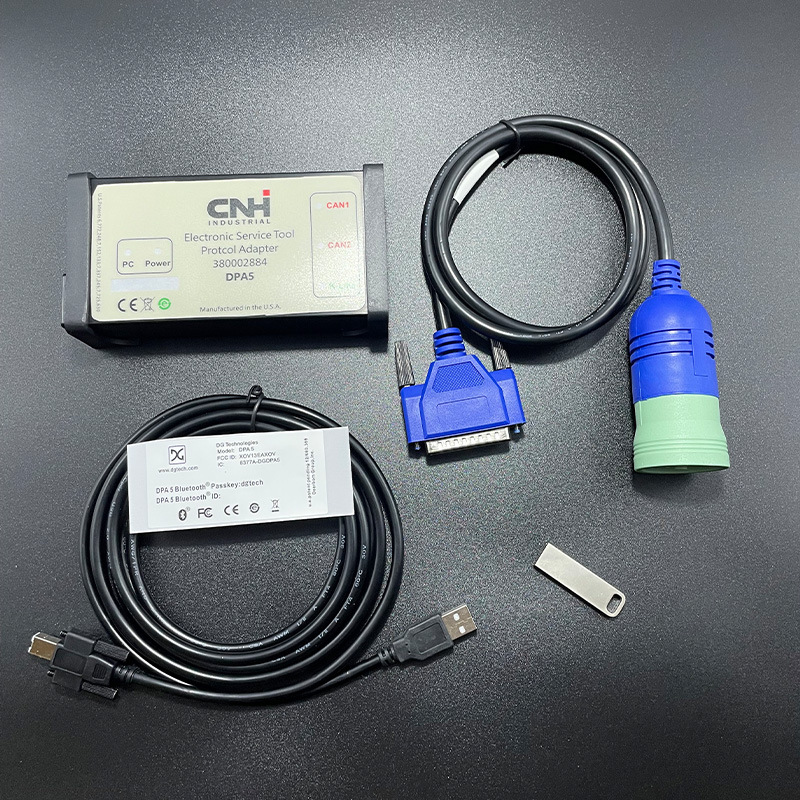
The CNH DPA5 interface supports a wide variety of global heavy machinery brands:
New Holland (Agriculture & Construction)
CASE (Agriculture & Construction)
New Holland FK (Fiat-Kobelco) & O&K (Orenstein & Koppel)
STEYR & KOBELCO
Iveco / Astra (Articulated dump trucks)
Flexi-Coil, Sumitomo (S.H.I.), and Link-Belt
Choosing the right software version depends on your workshop's specific operational needs and activation requirements.
Access Level: Standard dealership functions.
Activation: Includes a standalone keygen for self-activation.
System Requirements: Designed for Windows 7 64-bit.
Installation Note: Before installation, disable all antivirus software and firewalls. During activation, set the system clock to January 2018.
https://mega.nz/file/WC4DRIrb#Ae0M295zKUh1NkFdLmf3Z0rp4fZqoy1SnHznt01XerQ
Access Level: Engineering grade, offering expanded capabilities and deeper diagnostic functions compared to dealer-grade builds.
Activation: Does not include a keygen. Activation must be handled remotely by a qualified engineer using tools such as Sunlogin, TeamViewer, or ToDesk. Each payment covers one activation per computer.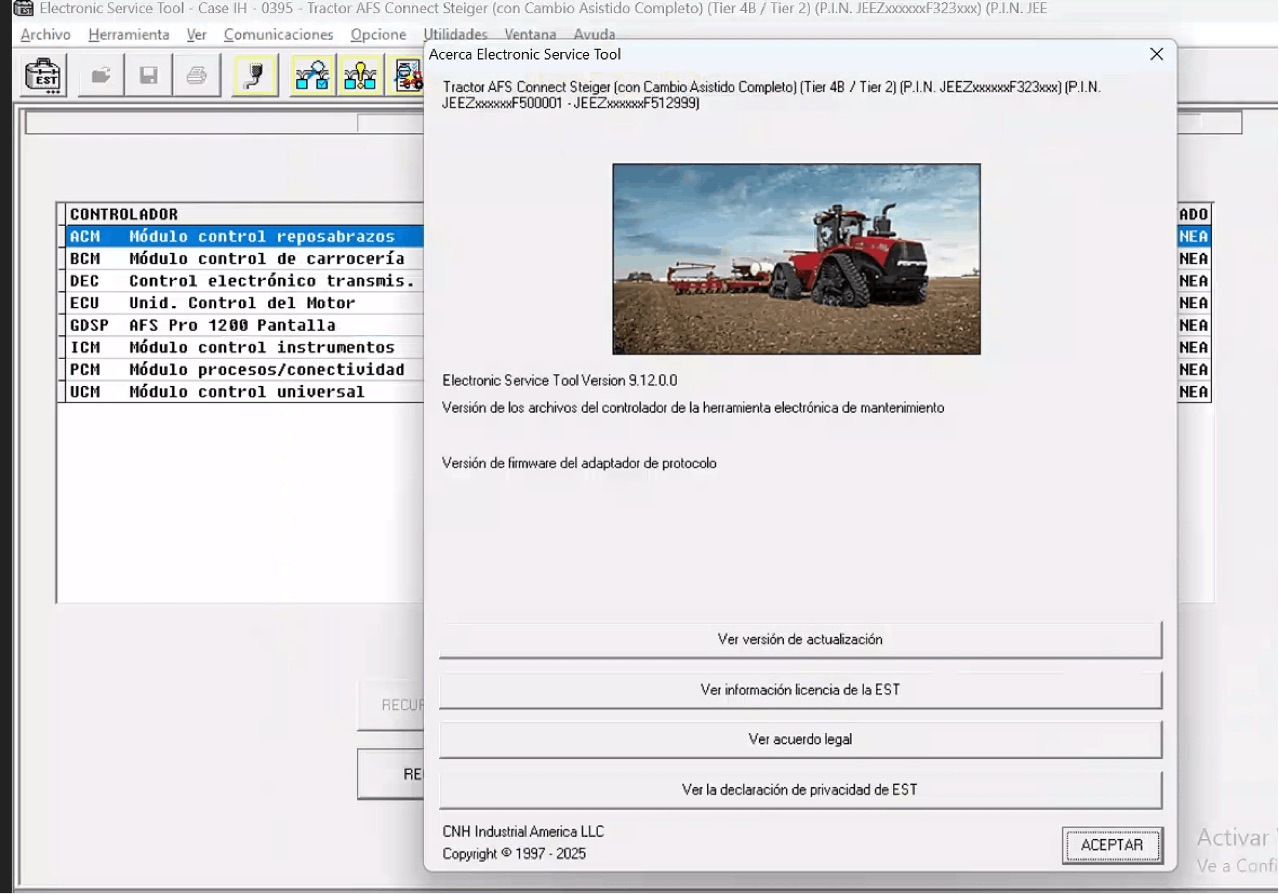
To ensure smooth operational stability when running CNH EST V9.5, V9.9, or higher, your diagnostic computer must meet the following hardware standards:
| Requirement | Minimum Specification |
| Processor | Intel Core i5 (6th Generation or newer) |
| RAM | 8 GB or more |
| Operating System | Windows 10 Pro 64-bit (Windows 10 Home is not supported) |
| Storage | 256 GB SSD or larger |
| Security Precondition | Uninstall all third-party antivirus software and active firewalls prior to software setup |
The physical diagnostic interface (Serial/SN prefix 380002884) communicates over both 2-CAN and K-Line protocols.
Each kit typically includes the Dearborn Protocol Adapter 5 (DPA5) unit, a standard USB cable, and a 9-pin Deutsch CNH cable designed to connect directly to the vehicle's diagnostic port.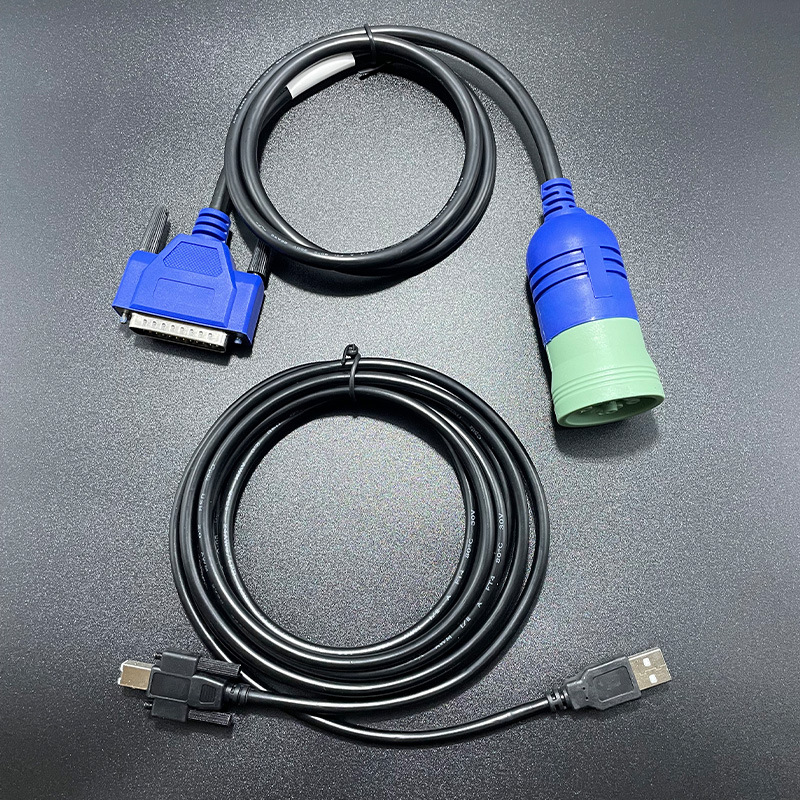
How to install CNH DPA5 Electronic Service Tool Software v8.6 ?