Replacing an infotainment head unit, instrument cluster, or gateway module on a modern Volkswagen Group vehicle—such as a 2023 VW Taos—triggers a Component Protection Active fault. Clearing this security lock requires a DoIP- and CAN-FD-capable diagnostic interface paired with ODIS Service (ODIS-S) and live server authorization.
Selecting the right VAS 6154A interface, verifying compatibility with newer VAG security protocols, and executing the online removal procedure prevents communication dropouts and bricked modules.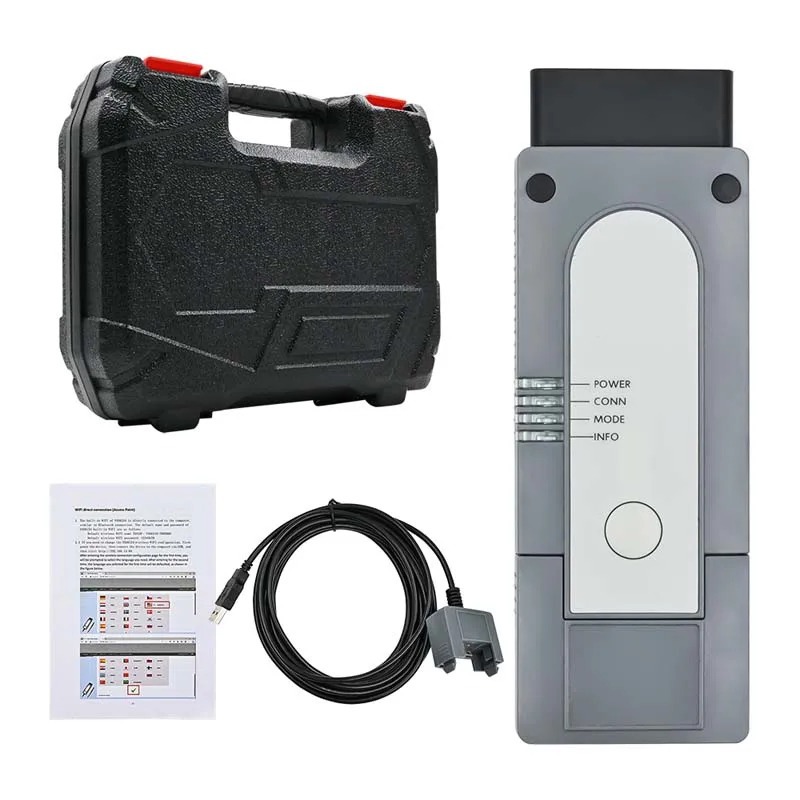
Modern Volkswagen, Audi, Skoda, and SEAT vehicles built on the MQB A1, MQB Evo, MLB Evo, and PPE architectures communicate using high-speed Ethernet (DoIP – Diagnostics over Internet Protocol) and CAN-FD (Controller Area Network Flexible Data-Rate).
Older diagnostic heads like the VAS 5054A or basic J2534 pass-thru cables only support standard CAN and K-Line protocols.
When sourcing an interface for ODIS Service and ODIS Engineering, shops and technicians typically choose between three hardware tiers:
| Feature / Specification | OEM VAS 6154A / 6154B | VNCI 6154A (Recommended Alternative) | DoIP-Capable J2534 Pass-Thru |
| Protocol Support | Full DoIP, CAN-FD, UDS, CAN, K-Line | Full DoIP, CAN-FD, UDS, CAN | Varies by brand (must explicitly support DoIP/CAN-FD) |
| Driver Architecture | Native VW D-PDU API | Native VW D-PDU API (emulates OEM firmware) | Third-party D-PDU / J2534 wrapper |
| ODIS Compatibility | ODIS-S & ODIS-E (all versions) | ODIS-S & ODIS-E (v11 through v24+) | ODIS-S (requires manual PDU configuration) |
| Online GeKo / SFD | Fully supported | Fully supported | Supported on certified units (e.g., CarDAQ-Plus 3) |
| Estimated Cost | $800 – $1,200+ | $100 – $150 | $300 – $1,500+ |
| Best Use Case | High-volume VAG specialist repair shops | Independent workshops & mobile technicians | Multi-brand shops already owning a high-end J2534 |
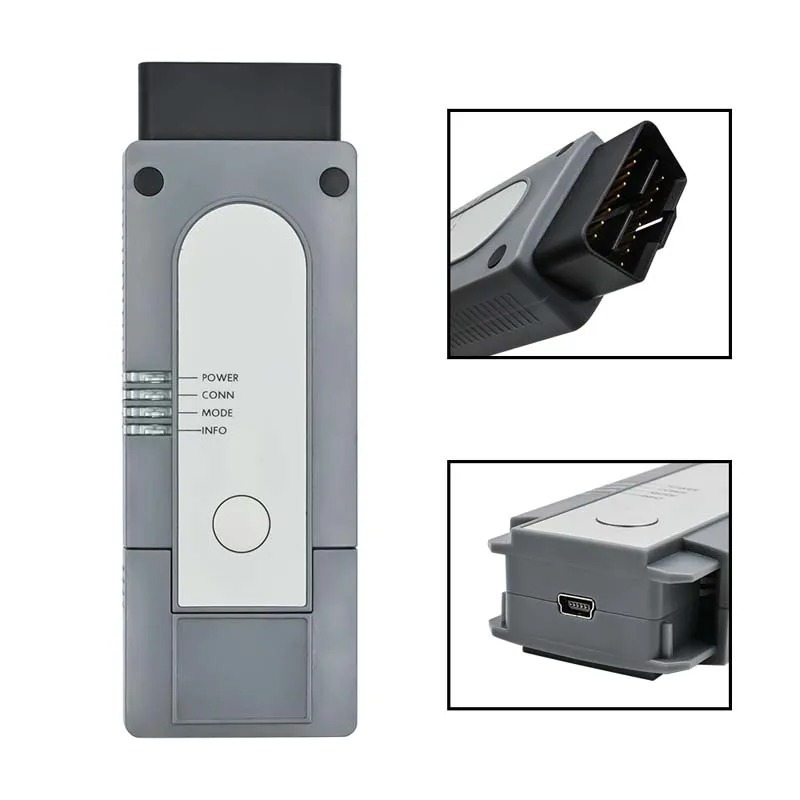
OEM VAS 6154A: The factory dealership standard.
VNCI 6154A: Unlike standard low-cost clones that rely on modified drivers or fail during online server checks, the VNCI 6154A operates directly on original OEM drivers. It handles DoIP, CAN-FD, and online ODIS sessions reliably at a fraction of the OEM cost.
J2534 Pass-Thru Devices: Units like the DrewTech CarDAQ-Plus 3 or VXDIAG VCX SE (6154 license) can run ODIS over D-PDU API, provided the hardware natively supports DoIP and CAN-FD.
Purchasing a VAS 6154A interface provides the physical bridge between the vehicle and your PC. To clear Component Protection, your workstation must also meet specific software and credential standards:
Recommended Laptop Configuration:
OS: Windows 10 or Windows 11 (64-bit Professional)
Processor: Intel Core i5 (8th Gen or newer) or equivalent
Memory & Storage: Minimum 8GB RAM and a 256GB+ SSD (solid-state storage prevents read/write bottlenecks during ODIS PostSetup installation and ECU flashing)
ODIS Software Version:
Install ODIS Service (ODIS-S) v23.x or v24.x+ with current brand PostSetup databases to cover 2023–2026 vehicle platforms.
Online GeKo Account & SFD Authorization:
Component Protection ties theft-relevant control modules (such as 005F Information Electronics, 0017 Instrument Cluster, or 0019 CAN Gateway) to the vehicle's VIN via encrypted server hashes.
Offline ODIS versions cannot remove Component Protection.
Before launching an online ODIS Guided Function session on a 2023+ VW, verify these three critical conditions:
Stabilize Battery Voltage (13.0V – 14.0V): Connect a dedicated automotive programming power supply (clean voltage maintainer, not a standard trickle charger). Voltage drops during online adaptation or SFD token exchange will abort the session and risk corrupting module flash memory.
Use a Direct USB Connection: While the VAS 6154A supports WLAN, always connect the VCI to your laptop via the USB cable during Component Protection removal, SVM coding, or module flashing to eliminate wireless packet loss.
Verify Part Provenance: Volkswagen's backend server checks the donor module's serial number against global theft databases. If a used replacement part is flagged as stolen, the GeKo server will immediately reject the adaptation and lock the security session.
Connect Hardware: Plug the VAS 6154A into the vehicle's 16-pin OBD-II port and connect the USB cable to your Windows laptop.
Launch ODIS Service: Open ODIS-S, verify that the VCI indicator icon is active, and allow the software to automatically read the VIN and vehicle project.
Run Full Vehicle Scan: Complete the initial bus topology scan so ODIS detects all installed control units and logs the Component Protection Active fault codes.
Select Guided Functions: Navigate to the Control Modules list, right-click the newly installed module (e.g., 005F - Information Electronics), and select Guided Functions.
Authenticate Online (GeKo & SFD): Choose the Deactivate/Activate Component Protection test plan. Enter your GeKo credentials when prompted; ODIS will automatically request any required SFD unlock tokens for 2023+ modules in the background.
Clear Faults & Verify: Once the test plan confirms Component Protection is inactive, run a full fault memory erase and cycle the ignition for 30 seconds to verify normal module operation.
Yes. When paired with ODIS Service and an active online GeKo login, the VAS 6154A (and VNCI 6154A) automatically handles SFD (Schutz Fahrzeug Diagnose) security unlocks during Guided Functions.
The VAS 6154A is the updated hardware revision featuring enhanced wireless stability, updated firmware architecture for newer ODIS releases, and full support for DoIP and CAN-FD protocols required on MQB Evo and electric ID-series platforms.
Yes. Both the OEM VAS 6154A and VNCI 6154A work seamlessly with ODIS Engineering for offline .frf and .sgo flash file programming, ECU parameterization, and module retrofits.
Looking for reliable VAG diagnostic hardware? Explore our tested VNCI 6154A interfaces and complete ODIS-ready diagnostic kits at