We use cookles to Improve your online experience. By continuing browsing this website, we assume you agree our use of cookies.
Home > OBD2 Code Scanner > KONNWEI KW680 OBD2 Diagnostic Tool Code Reader Scan Tool OBD II Scanner
  • KONNWEI KW680 OBD2 Diagnostic Tool Code Reader Scan Tool OBD II Scanner
  • KONNWEI KW680 OBD2 Diagnostic Tool Code Reader Scan Tool OBD II Scanner
  • KONNWEI KW680 OBD2 Diagnostic Tool Code Reader Scan Tool OBD II Scanner
  • KONNWEI KW680 OBD2 Diagnostic Tool Code Reader Scan Tool OBD II Scanner
  • KONNWEI KW680 OBD2 Diagnostic Tool Code Reader Scan Tool OBD II Scanner
  • KONNWEI KW680 OBD2 Diagnostic Tool Code Reader Scan Tool OBD II Scanner
1/1
  • KONNWEI KW680 OBD2 Diagnostic Tool Code Reader Scan Tool OBD II Scanner
  • KONNWEI KW680 OBD2 Diagnostic Tool Code Reader Scan Tool OBD II Scanner
  • KONNWEI KW680 OBD2 Diagnostic Tool Code Reader Scan Tool OBD II Scanner
  • KONNWEI KW680 OBD2 Diagnostic Tool Code Reader Scan Tool OBD II Scanner
  • KONNWEI KW680 OBD2 Diagnostic Tool Code Reader Scan Tool OBD II Scanner
  • KONNWEI KW680 OBD2 Diagnostic Tool Code Reader Scan Tool OBD II Scanner

KONNWEI KW680 OBD2 Diagnostic Tool Code Reader Scan Tool OBD II Scanner

SKU:
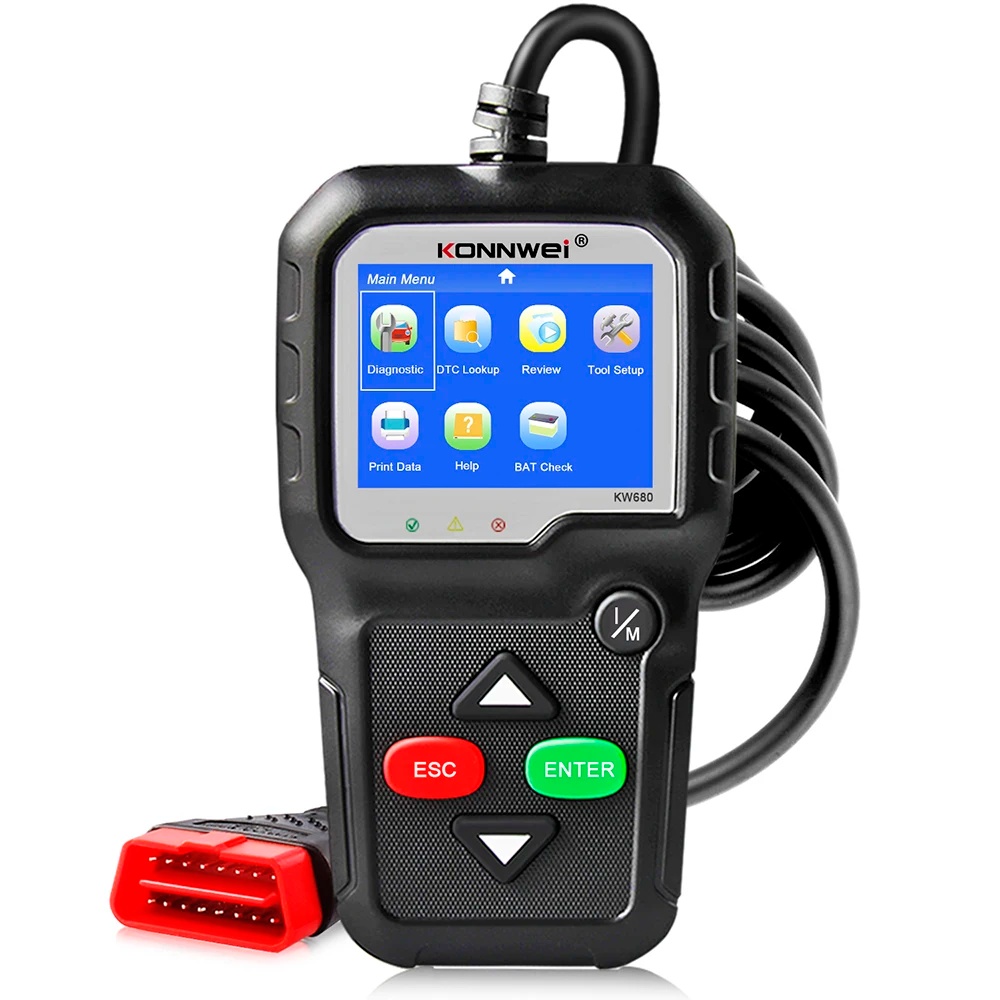
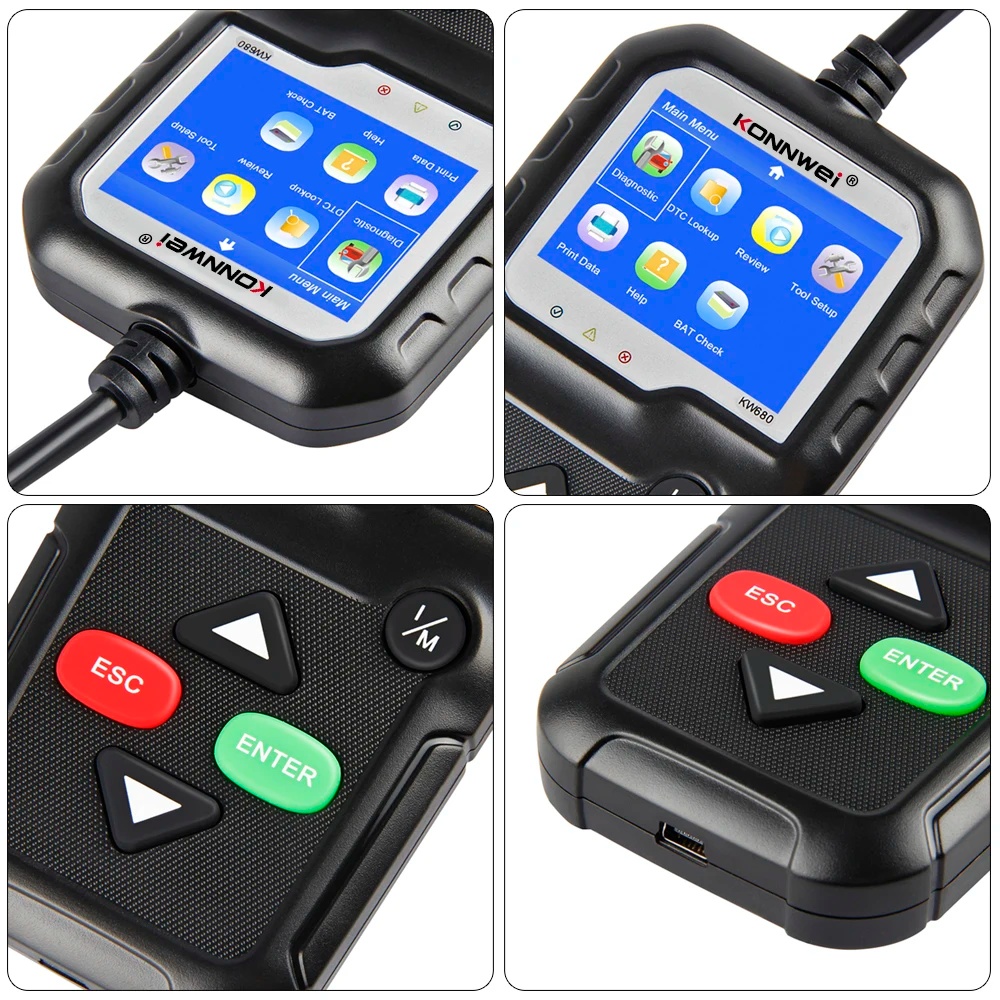
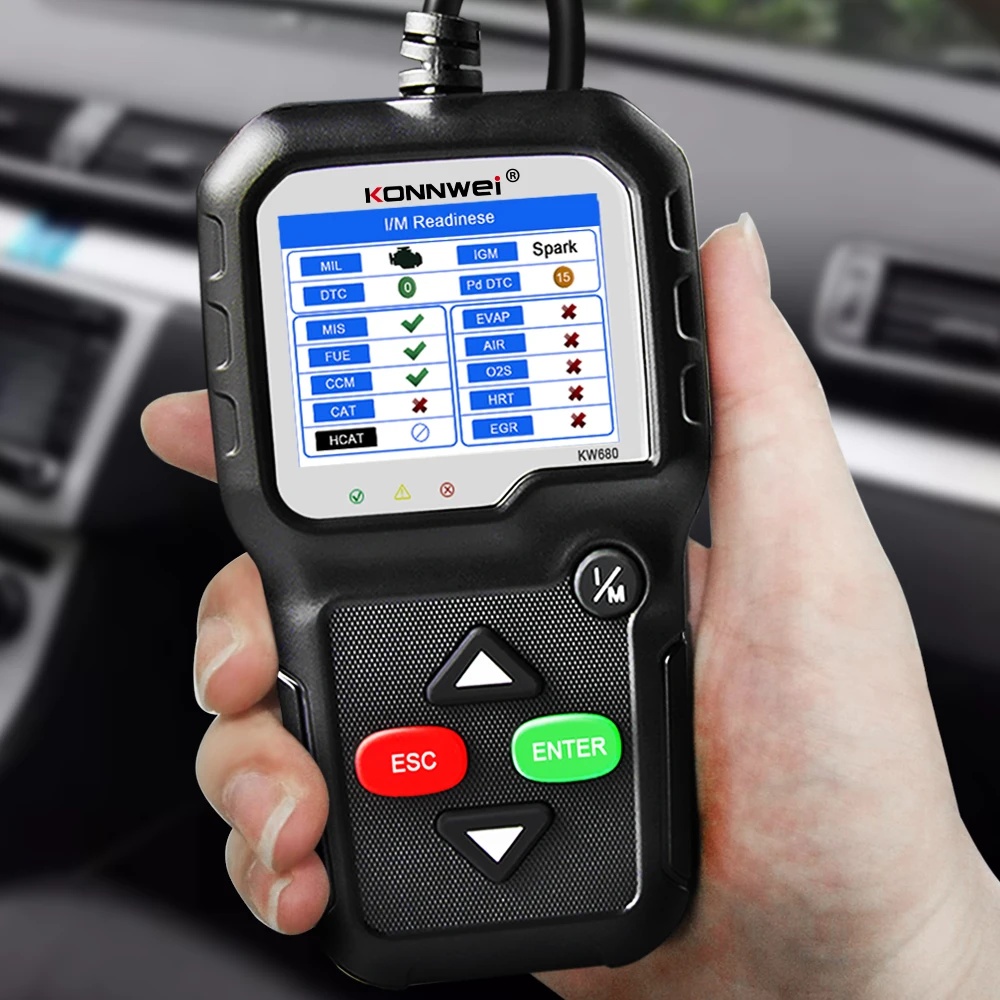
KONNWEI KW680 OBDII/EOBD Scanner supports all 10 modes of OBDII test for a complete diagnosis. Featuring the unique patented One-Click I/M Readiness Key, TFT color display and built-in speaker, the KW680 is truly the ultimate in power and affordability, allowing users to do their jobs faster. In addition, thousands of troubleshooter code tips help technicians to save diagnosis and repair time.
0.0 (0 Reviews)
0 Sold
$0.00 $48.80
Received successfully
Coupon Code
CONTINUE SHOPPING
Quantity:
-
+
  • KONNWEI KW680 OBD2 Diagnostic Tool Code Reader Scan Tool OBD II Scanner
  • KONNWEI KW680 OBD2 Diagnostic Tool Code Reader Scan Tool OBD II Scanner
  • KONNWEI KW680 OBD2 Diagnostic Tool Code Reader Scan Tool OBD II Scanner
  • KONNWEI KW680 OBD2 Diagnostic Tool Code Reader Scan Tool OBD II Scanner
  • KONNWEI KW680 OBD2 Diagnostic Tool Code Reader Scan Tool OBD II Scanner
  • KONNWEI KW680 OBD2 Diagnostic Tool Code Reader Scan Tool OBD II Scanner
  • KONNWEI KW680 OBD2 Diagnostic Tool Code Reader Scan Tool OBD II Scanner
  • KONNWEI KW680 OBD2 Diagnostic Tool Code Reader Scan Tool OBD II Scanner
  • KONNWEI KW680 OBD2 Diagnostic Tool Code Reader Scan Tool OBD II Scanner
  • KONNWEI KW680 OBD2 Diagnostic Tool Code Reader Scan Tool OBD II Scanner
  • KONNWEI KW680 OBD2 Diagnostic Tool Code Reader Scan Tool OBD II Scanner
  • KONNWEI KW680 OBD2 Diagnostic Tool Code Reader Scan Tool OBD II Scanner
1/1
  • KONNWEI KW680 OBD2 Diagnostic Tool Code Reader Scan Tool OBD II Scanner
  • KONNWEI KW680 OBD2 Diagnostic Tool Code Reader Scan Tool OBD II Scanner
  • KONNWEI KW680 OBD2 Diagnostic Tool Code Reader Scan Tool OBD II Scanner
  • KONNWEI KW680 OBD2 Diagnostic Tool Code Reader Scan Tool OBD II Scanner
  • KONNWEI KW680 OBD2 Diagnostic Tool Code Reader Scan Tool OBD II Scanner
  • KONNWEI KW680 OBD2 Diagnostic Tool Code Reader Scan Tool OBD II Scanner
  • Description
KONNWEI KW680 OBD2 Diagnostic Tool Code Reader Scan Tool OBD II Scanner
KONNWEI KW680 OBDII Code Scanner Features:
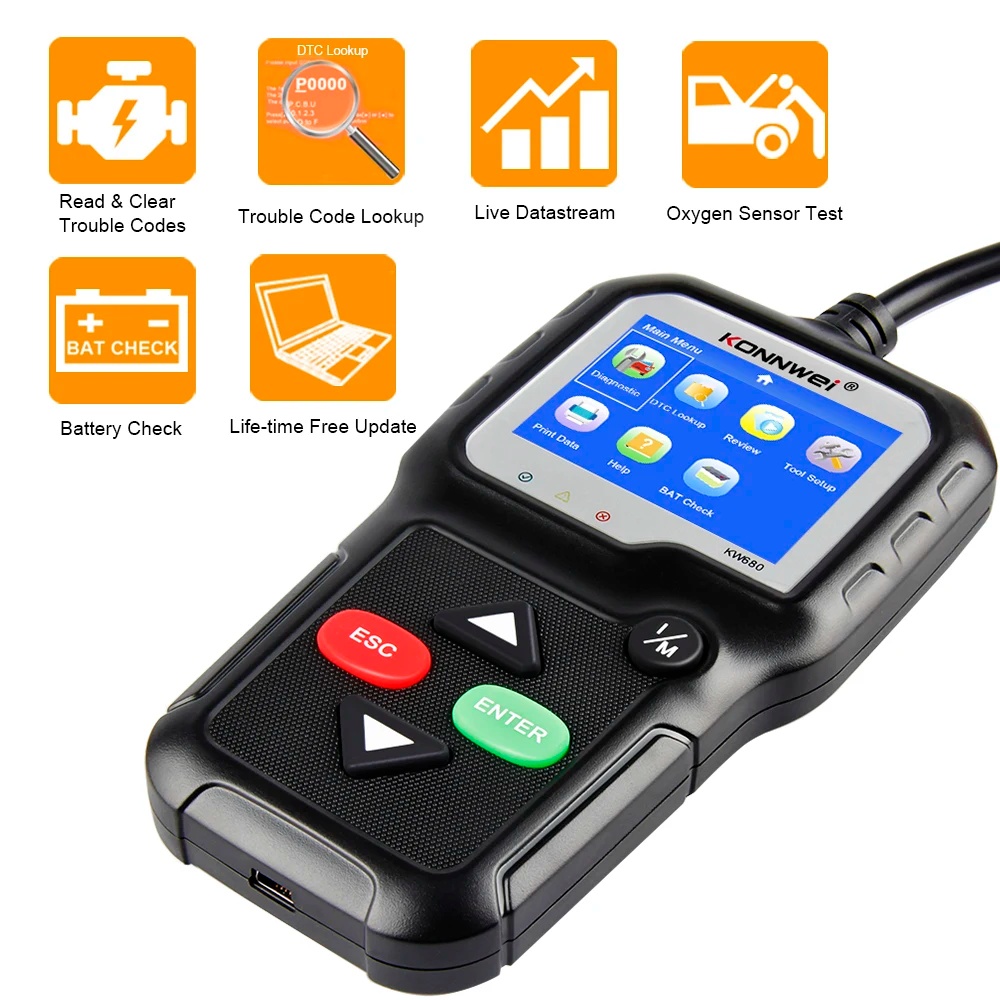
1.2 IN 1--OBD2 Diagnostic Scanner and Battery Tester ,Real time Car Battery Voltage Check, helps you to know the battery healthy status.
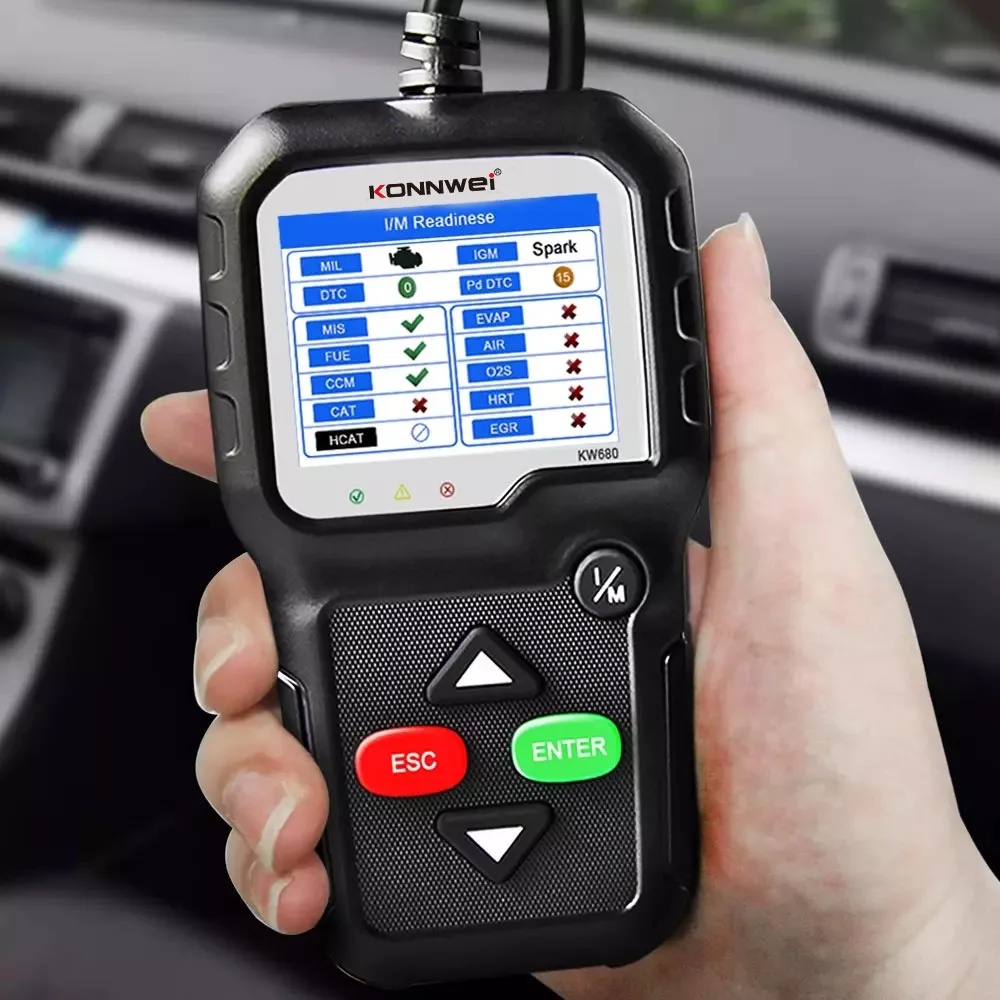
2.High Quality and High Resolution TFT colorful display helps you easily to find out the troubles of your car.
3.Bright color coded LEDs and built-in speaker provide both visual and audible tone for readiness verification
4.Patented appearance design & Key pad, unique patented One-Click I/M Readiness Key, it is the best partner for car repairing.
5. Universal works with all OBDII/EOBD& CAN compliant cars, light trucks (12V only), SUVs and minivans. NOTE: CAN NOT work on hybrid or electric cars.
6. Read engine fault codes and show definitions. Easily find out the root of check engine light (MIL) before going to repair shop or fix by yourself.
7. Clears codes, turn off the MIL and resets monitors.
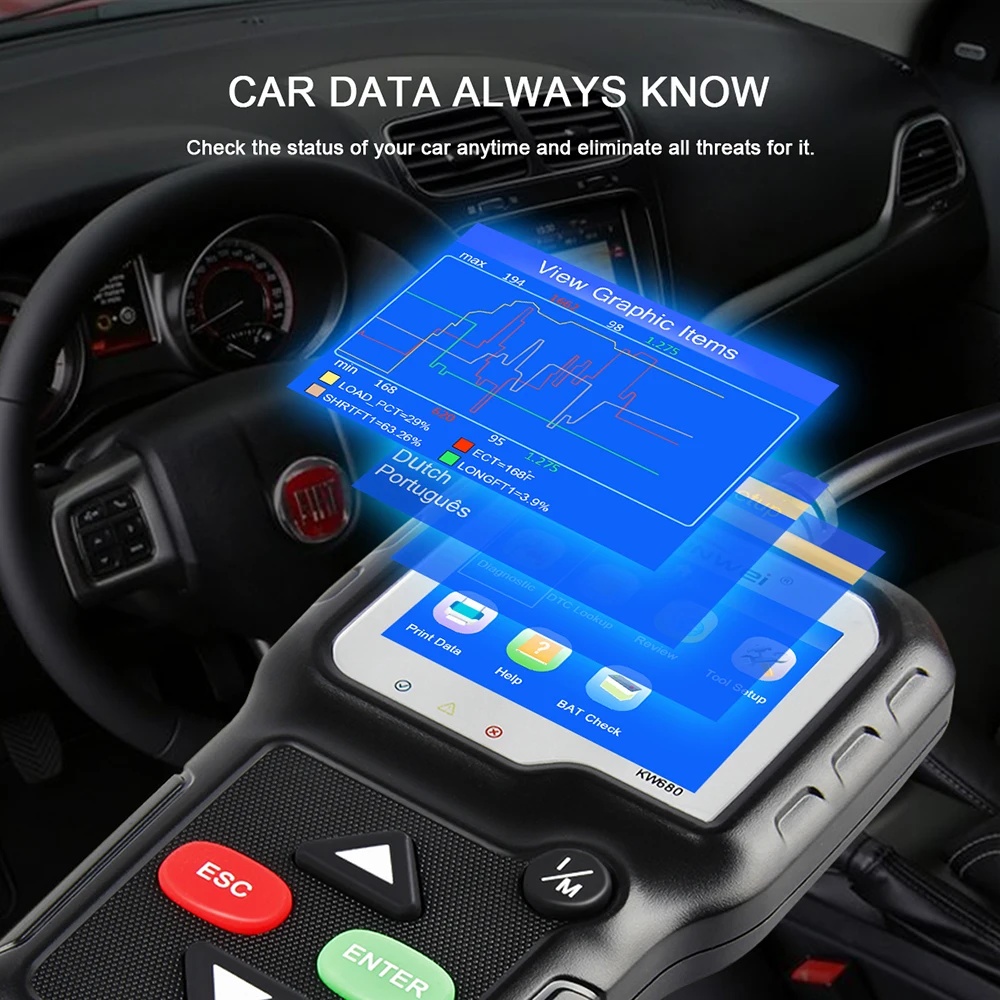
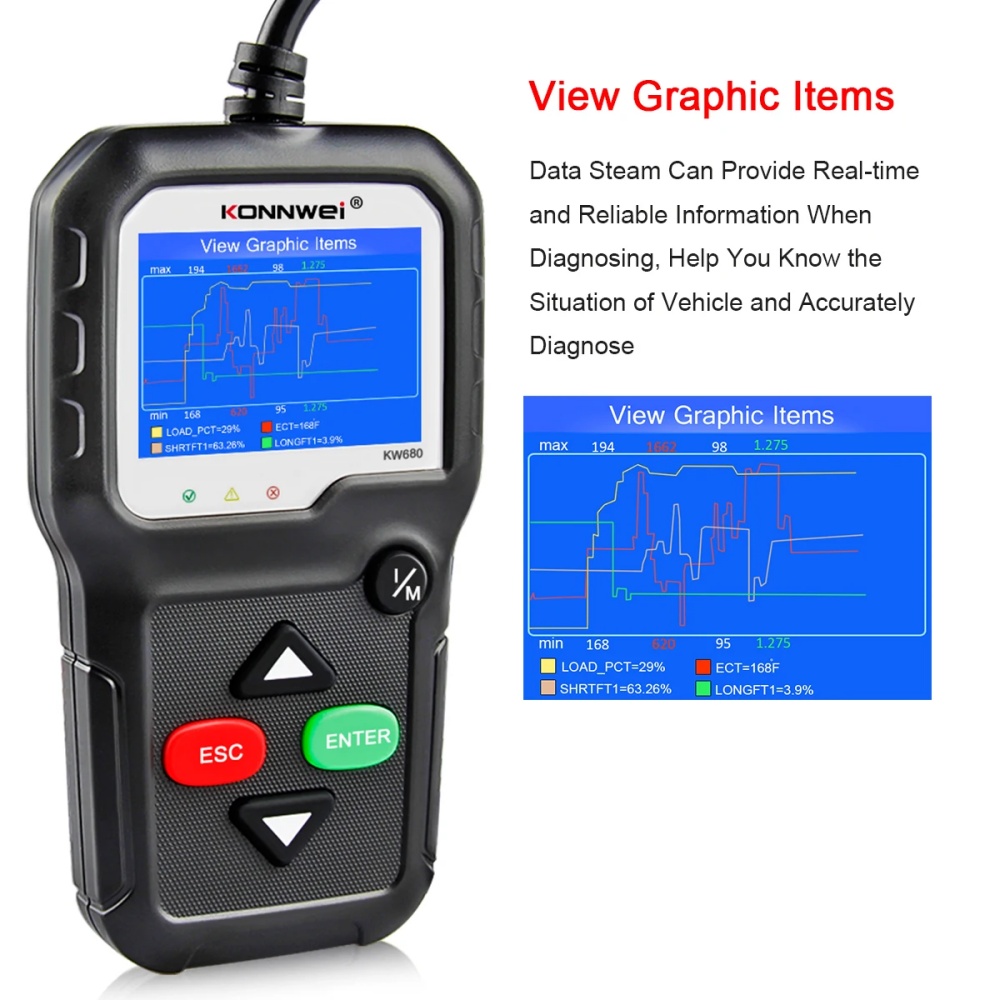
8. Display complete live data stream in digits and graph format, RGB color screen allow you to compare 4 live readings to find out any suspicious parameters.
9. Read freeze frame data which shows engine conditions such as fuel trim, engine coolant temp, etc when the Malfunction Indicator Lamp (MIL) was triggered.
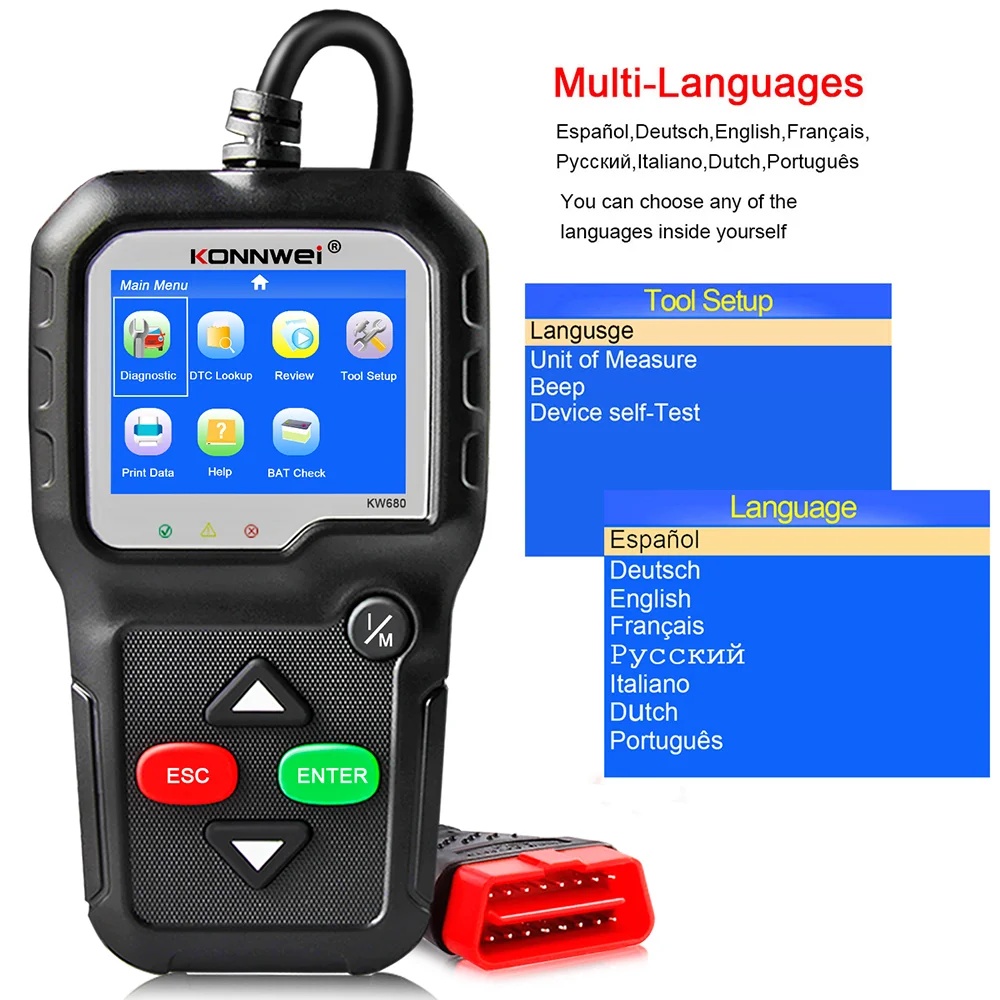
10. 8 language menu options —English, Spanish, Portuguese, French, Russian, German, Dutch, Italian.
11. Advanced O2 sensor test, EVAP test, Modes 8 Test; Model 6 on-board monitoring function can help you pinpoint which cylinder has a misfire issue.
12.Retrieves vehicle information (VIN, CID and CVN).
13. Built-in DTC look-up library and display definition.
14. Troubleshooter code tips guide technicians to the root cause of a trouble code faster, save diagnosis and repair time
15. Internet updateable and upgradeable, life-time update free
16. Prints the stored trouble codes/ freeze frame/ live data readings via PC, works for all windows system.


What can KW680 do for my car?
1. High Quality and High Resolution TFT colorful display helps you easily to find out the troubles of your car.
2. Bright color coded LEDs and built-in speaker provide both visual and audible tone for readiness verification.
3. Patented appearance design & Key pad, unique patented One-Click I/M Readiness Key, it is the best partner for car repairing.
4. Featured 24-hr battery real-time monitoring during diagnostics, keep your car battery in healthy status.
5. Intergrated memory card allows storage of Trouble Codes, Live Data and freeze frame, Playback and review data when away from the vehicles.
6. Bright color coded LEDs indicators and built-in speaker provide both visual and audible tone for readiness verification
7. Universal scanners works on ALL 1996 and newer vehicles (OBDII & CAN) in USA, Most 2003 after EU (EOBD), 2006 after Asia car brand vehicles, suitable both diesel and gasoline 12V cars. 7. Data printable through USB cable, allows modify and print-out storaged data.
8. Internet upgradable via usb port, adapted to Windows XP- Windows 10. (other scanners only work for windows 7)

KW680 Supports 9 Kinds of Languages

English, Spanish, Portuguese, French, Russian, German, Dutch, Italian.
KONNWEI KW680 Supports Car Makes

KW680 supports both diesel and gasoline vehicles, as long as the car is compliant with standard OBDII protocols, with OBDII 16pins Diagnostic Port.

American (USA) car

for Standard OBD2 Cars from 1996 to Now: for Chrysler, for Ford, for GM, for Jeep

European car

for Standard OBD2 Cars from 2004 to Now: for Alfa Romeo, for SAAB, for Acura, for Opel, for Audi, for Seat, for Peugeot, for Bentley, for Skod, for Daewoo, for Benz, for Daihatsu, for Land Rover, for BMW, for Vauxhall, for Citroen, for Volvo, for Fiat, for VW, for Ford, for Jaguar

Japanese car

for Standard OBD2 Cars from 2006 to Now: for KIA, for Isuzu, for Honda, for Mitsubishi, for Hyundai, for Dacia, for Lexus, for Mazda, for Nissan, for Subaru, for Suzuki, for Toyota.

Chinese car

for Standard OBD2 Cars from 2011 to Now: NOTICE: Even though it compatible with most cars, but different regions support the vehicle OBD2 protocol at different times, or some car is special design, so it may not compatible with some cars which do not support OBD2 protocol. Especially Japanese and Korean car brand.

Warning

Not Support Russian Cars before 2012, VAZ, UAZ, LADA ; Not works with trucks for Renault, SsangYong, please contact us before purchasing. Leave us message in below format, we will reply you within 8 hours. for example : xx, 2005, 2.0cc, Diesel

KONNWEI Free Update and print

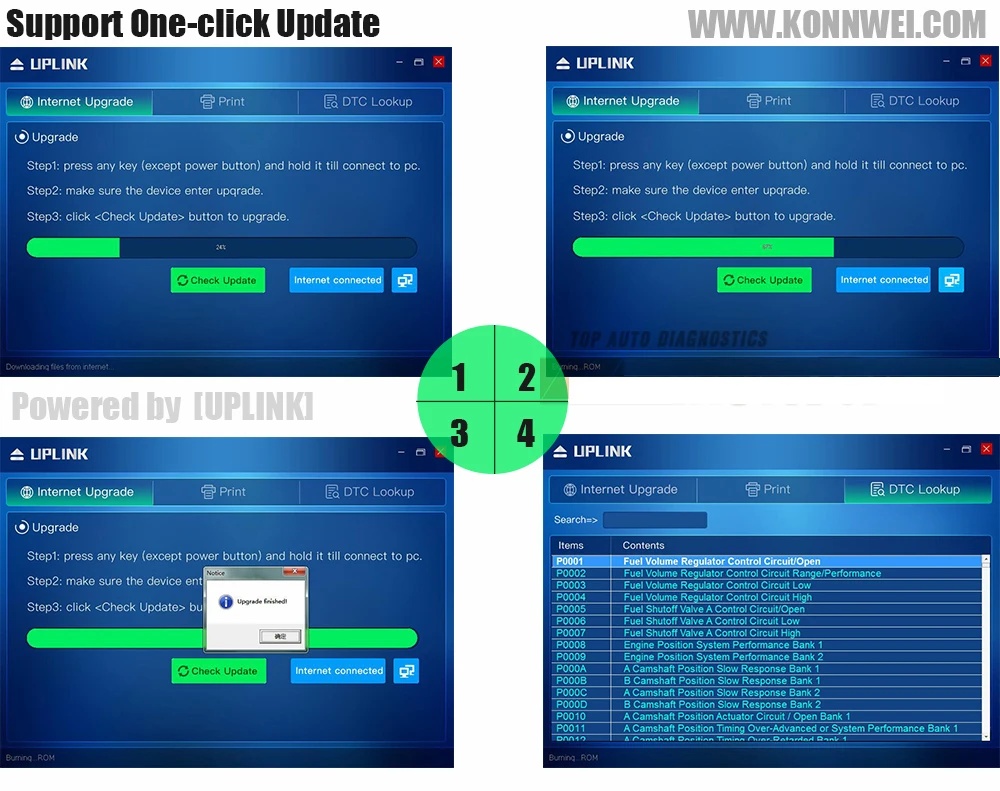
1. Please press the scanner and hold, then connect the scanner to PC with USB cable included in the package, the screen will be turned to "UPDATE MODE"
Notice: Please turn off anti-virus software when installing the update tool, otherwise it will not be able to install the driver properly. the Update tool can be found from official website (refer to user manual)
2. download and Install the "uplink" program to your PC (Windows xp- 7 only), you will find the below page, All you need is one-click, the program will search the update from our server, download and upgrade it by itself. No need any other operation, save the time and money.
3. Wait for the update process finished, the scanner KW680 will be ready to go! we will update to latest version before shipping out, normally there is no need to update for a long while.

KW680 obd2 scanner Data Printing Guides

1. After install the "uplink" program on PC, connect the scanner to PC with USB cable. (No need to press any buttons)
2. Launch the program"uplink" , Select "Print" option.
3. Operation on scanner: go to main menu, select " Print Data" ; Select the data option that you want to print to PC,
4. After select the "print data", the data stream that storaged in the scanner will be sent to PC software, you may modify them before printing them out from PC's printer.
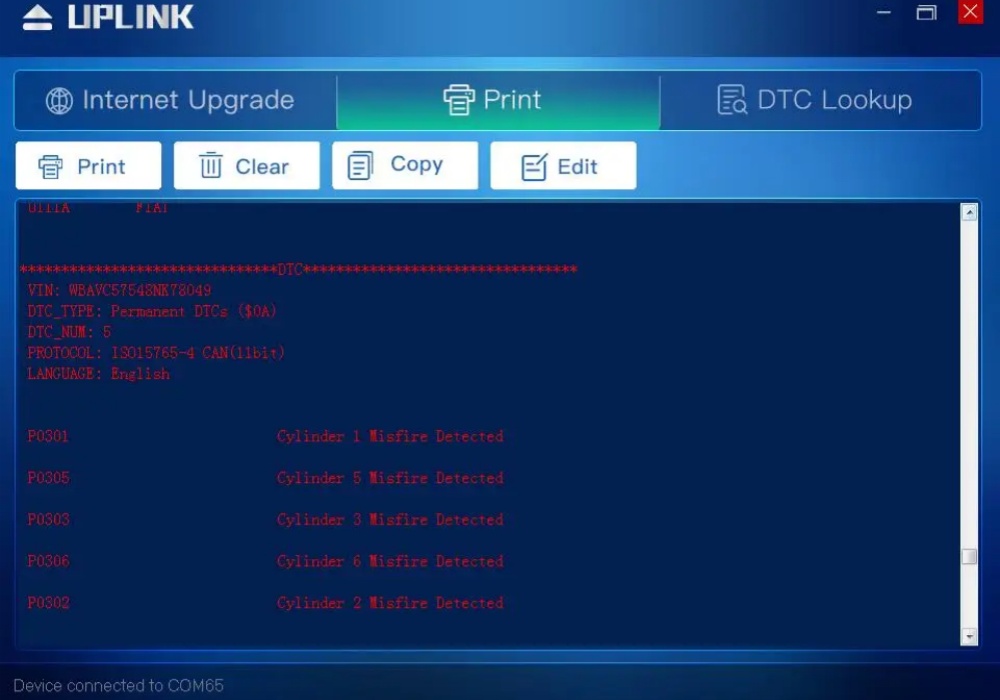


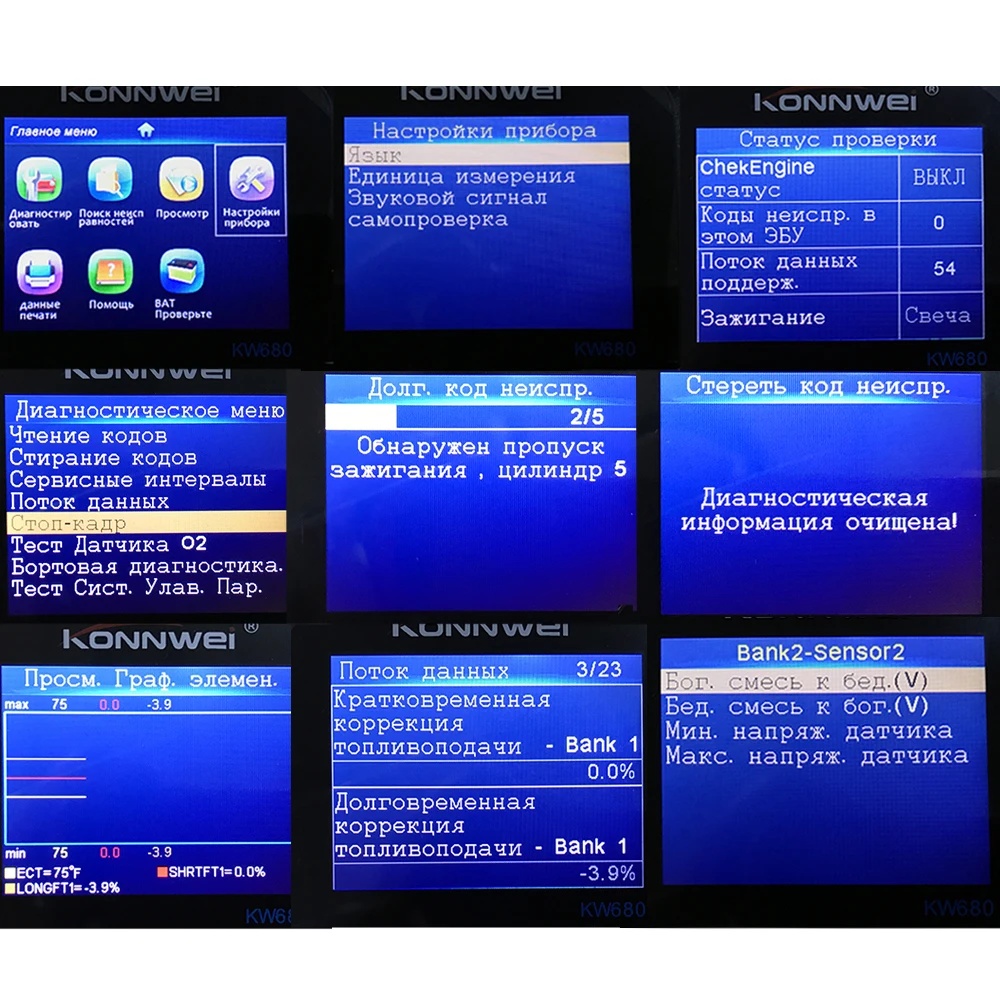
Software display
Product display

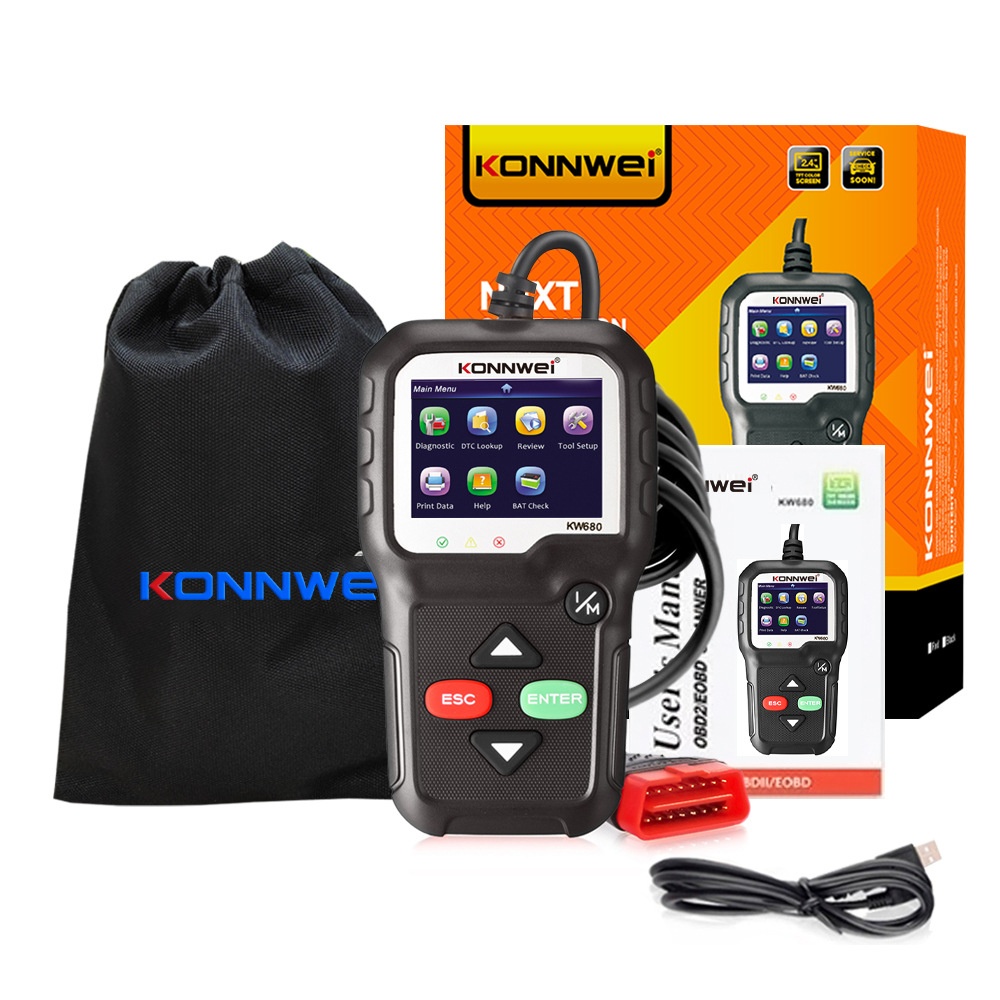
Packing list
KONNWEI KW680 obd2 scanner with cable
User's Manual in English
USB Cable
Protective nylon bag
Frequently Bought Together
more
Frequently Bought Together

CUSTOMER REVIEWS

0.0 0 Reviews
Write a review
$0.00 $0.00
Please choose options.Back to top
Close
$0.00 $0.00